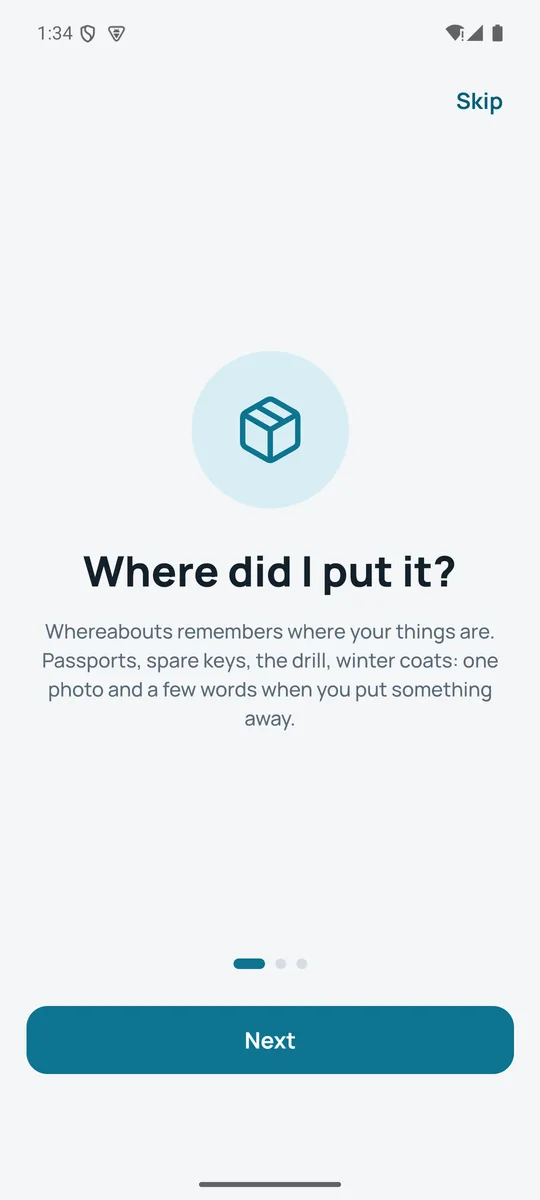
The passport, the spare keys, the drill, the winter coats. When you put something away, take one photo and say where it goes. Months later, type or say “where's the passport” and see exactly where it is, with the photo.
Free for up to 40 things, and searching never stops. Whereabouts Pro adds the rest. No account, no sign-up.
A simplified copy of the app's own rules: places it already knows are matched, new ones are created, containers are kept apart. All of it runs on the phone.
Three steps, in the order they actually happen.
Tap Store, and the camera is already open. One photo of the thing, or of the shelf it's going on. Skip it if you're in a hurry.
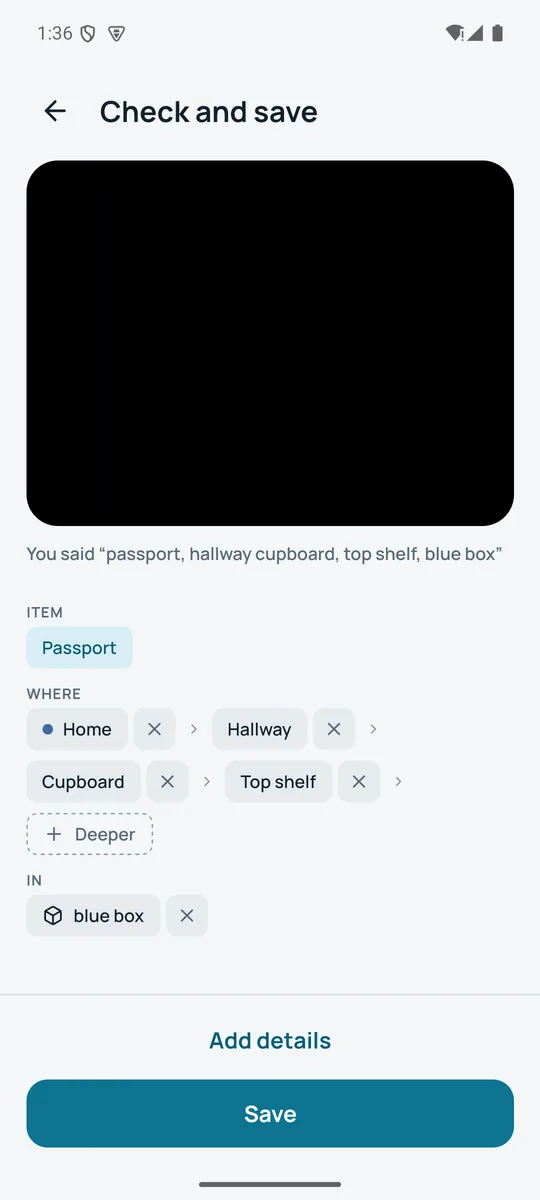
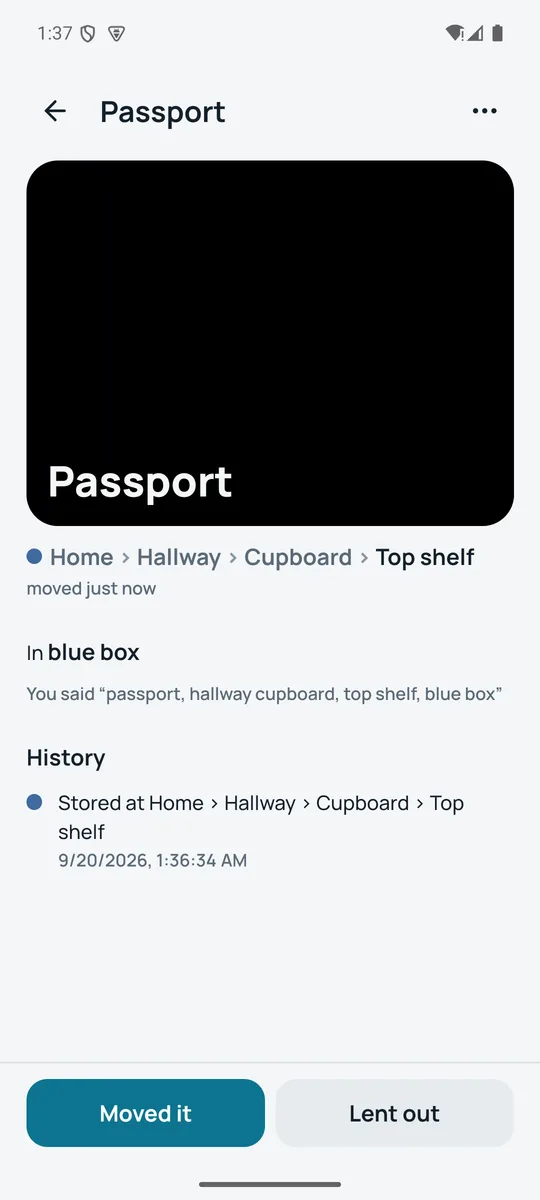
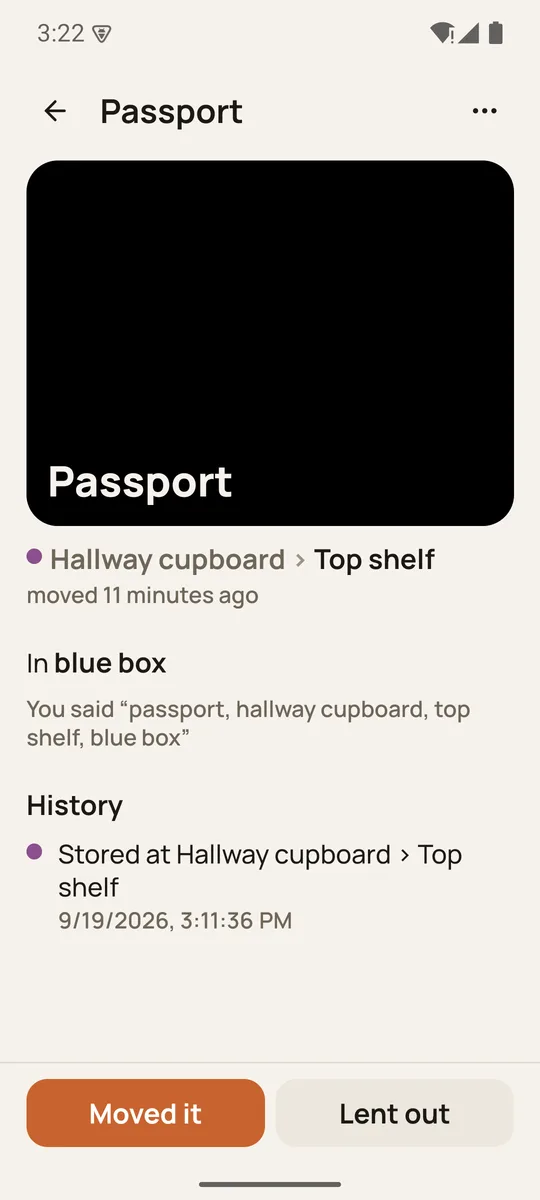
Hold the button and talk: “passport, hallway cupboard, top shelf, blue box”. Whereabouts knows rooms, shelves, drawers and boxes, matches places you already have, and shows what it understood before you save.
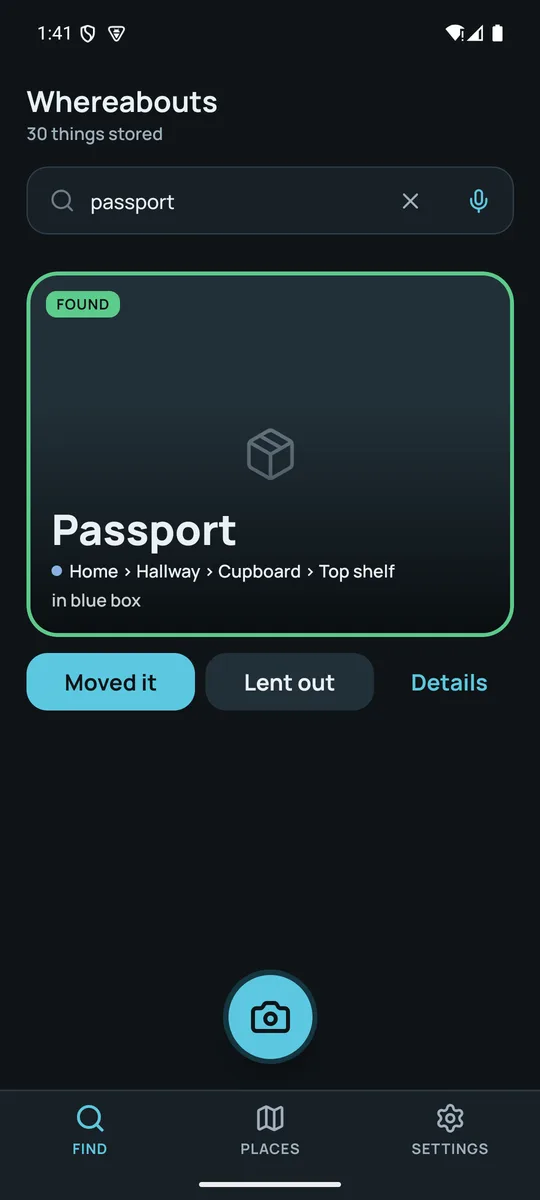
Type or say “where's the pasport”, typos and all, and the best match comes up first, with the photo, the full path and a button to say you've moved it.
Hands full, one thumb free, no patience for forms. Every feature is there because someone lost something.
Hold to talk when storing, tap the mic when finding. Your phone's own speech recognition does the listening; the words are read on the device.
“On the metal rack in the garage” becomes Garage › Metal rack. Rooms, shelves, drawers, boxes and bags are told apart, and known places are matched even when you say them differently.
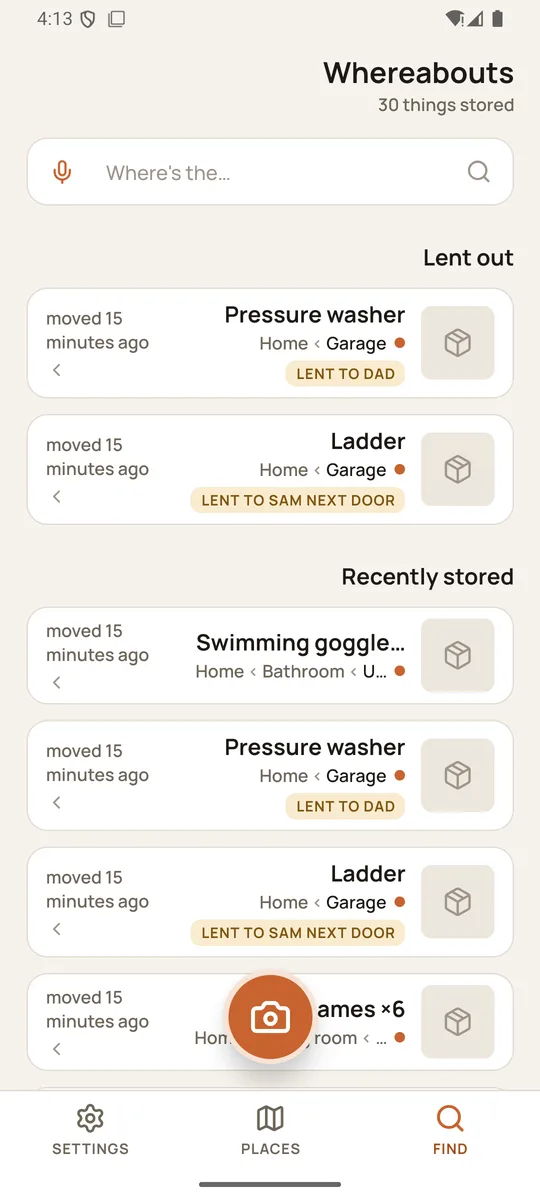
Search by name, place or container. Misspell it, shorten it, say it: the best match is shown first as a found card, the rest below.
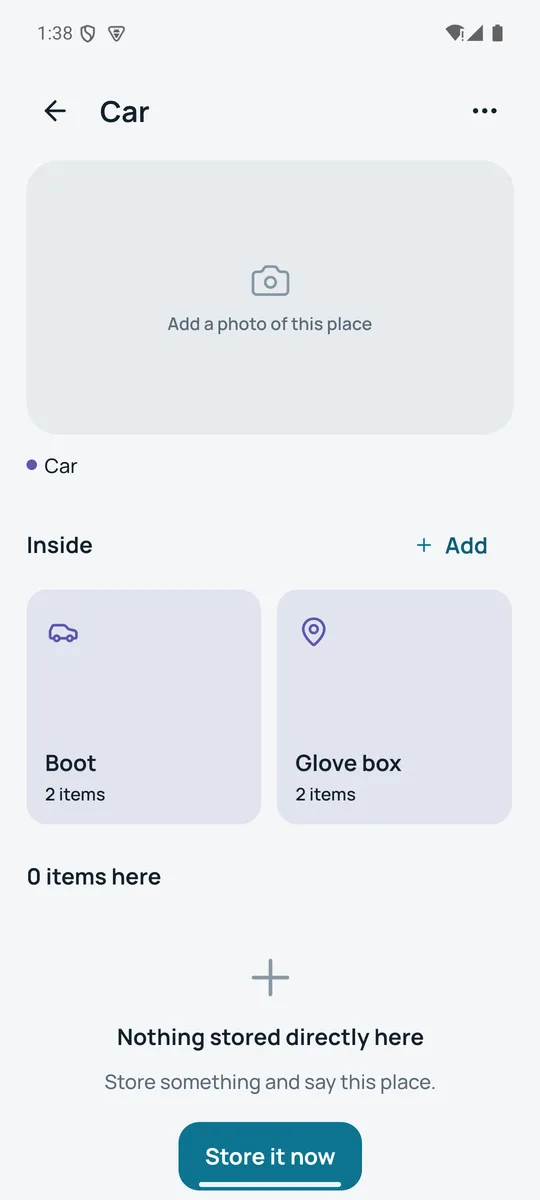
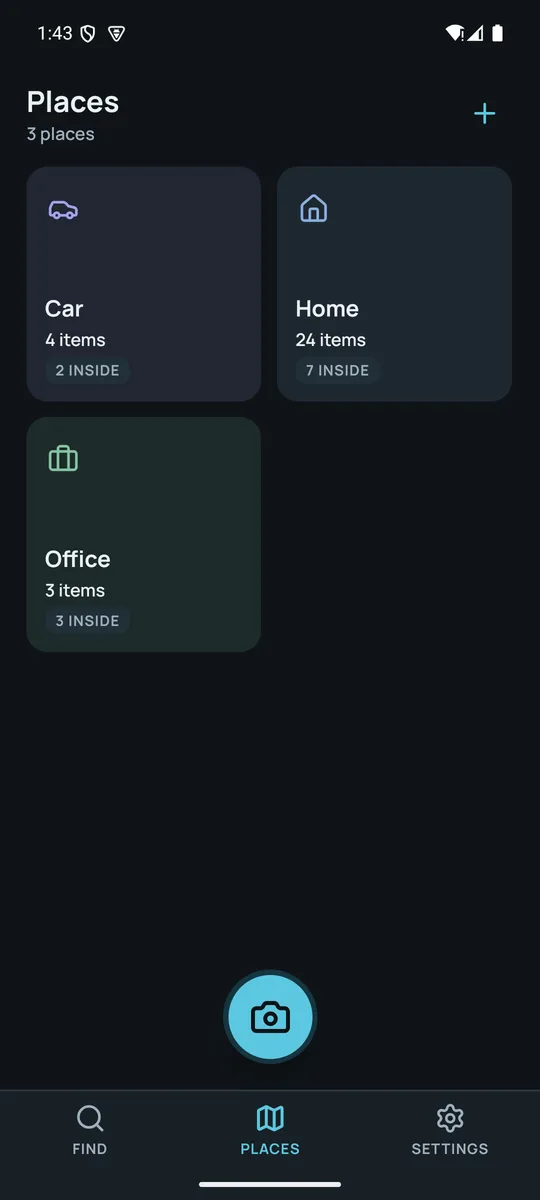
Home, Garage, Car, Office as tiles, each with the shelves and boxes inside and a count of what's there. Rename, merge and photograph any of them.
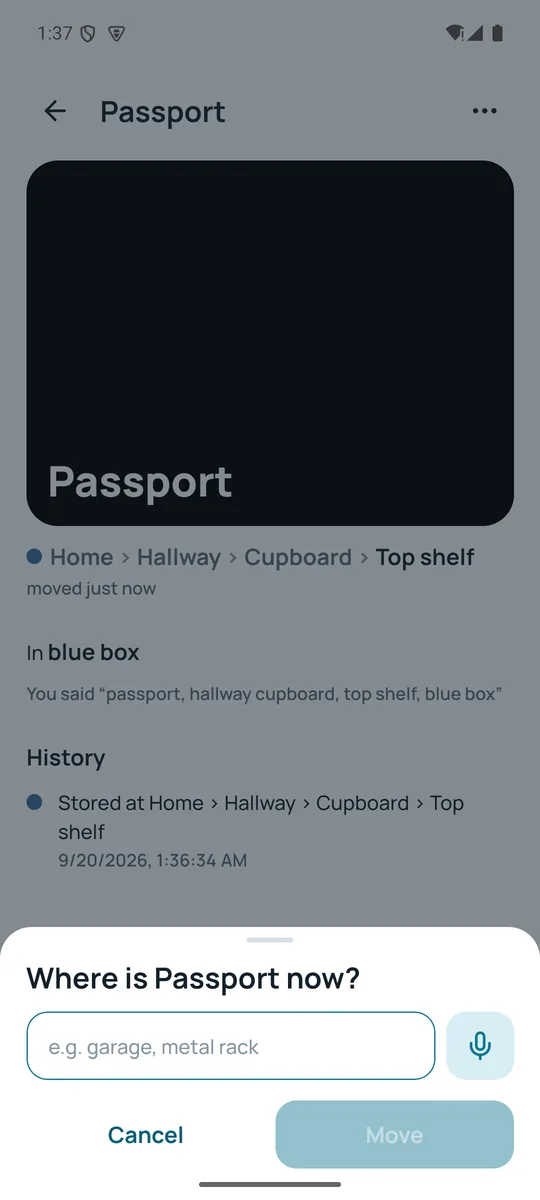
One tap, say the new place, done. Every move is kept in the item's history, so you can see where it has been.
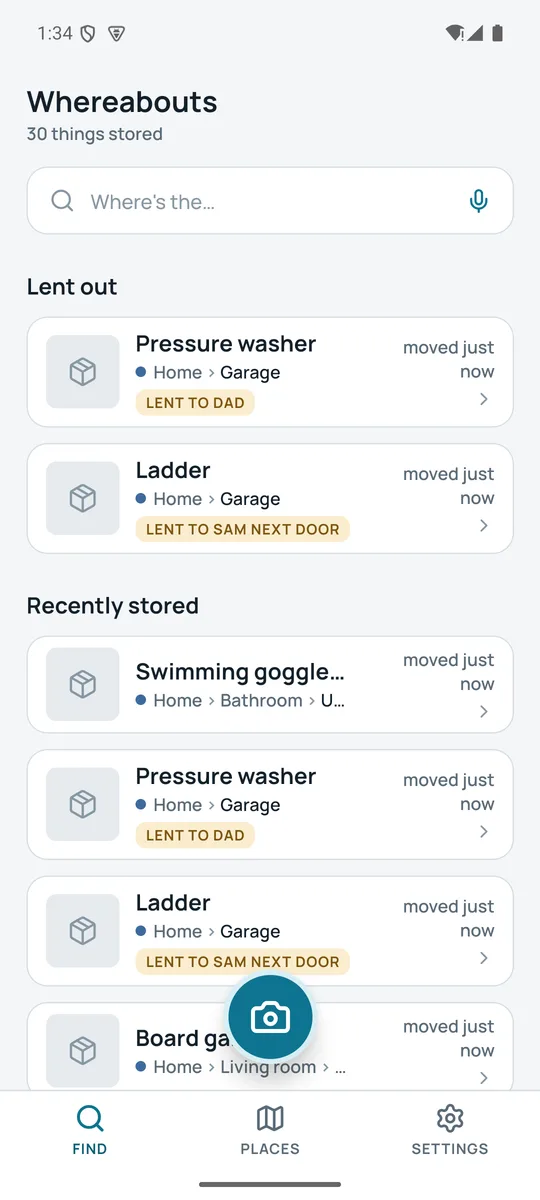
The ladder is with Sam next door; the pressure washer is with Dad. Mark it lent, see who has it at a glance, and mark it back when it returns.
“Get the drill back”, “swap the winter tyres”. A reminder on any item, delivered by your phone's notifications. Nothing else is sent anywhere.
Nothing to sign up for and nothing of yours on anyone's server. The app has no backend at all: what you store is in a database on your phone, and only there.
Export everything as a JSON file and a ZIP of your photos to a folder you choose. Delete all data with one confirmed tap. No account to close.
Everything lives in a database on your phone. Store and find in a basement, a garage or on a plane. The only things that ever need a connection are buying Pro and the optional anonymous statistics.
Follows your phone, or set it yourself under Settings › Appearance. Every screen, every sheet, with contrast checked in both.
Large text, screen readers and right-to-left layouts are part of the design, not an afterthought. Colour is never the only signal: every place shows its name next to its dot.
Before anything is saved you see the item, the place as a path, and the container as separate chips. Tap a chip to correct it, add a level with Deeper, or type instead when it's too noisy to talk. What you said is kept with the item, so you can always see the original words.
Whereabouts stores a place as a path (Home › Hallway › Cupboard › Top shelf), so the same cupboard is one cupboard, however you describe it next time.
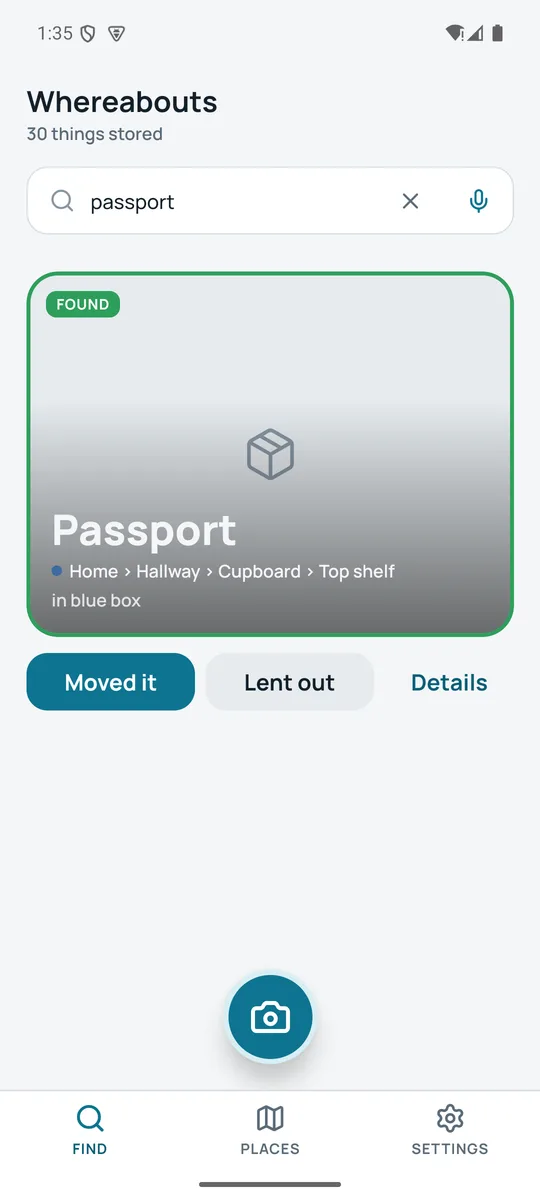
Type or say what you're looking for and the best match is shown as a found card: the photo, the name, the full path and the container, with Moved it and Lent out right there. Other matches wait below, grouped by what's lent out and what you stored recently.
Searching is never locked. Even on the free plan and past the item cap, everything you have stored can always be found.
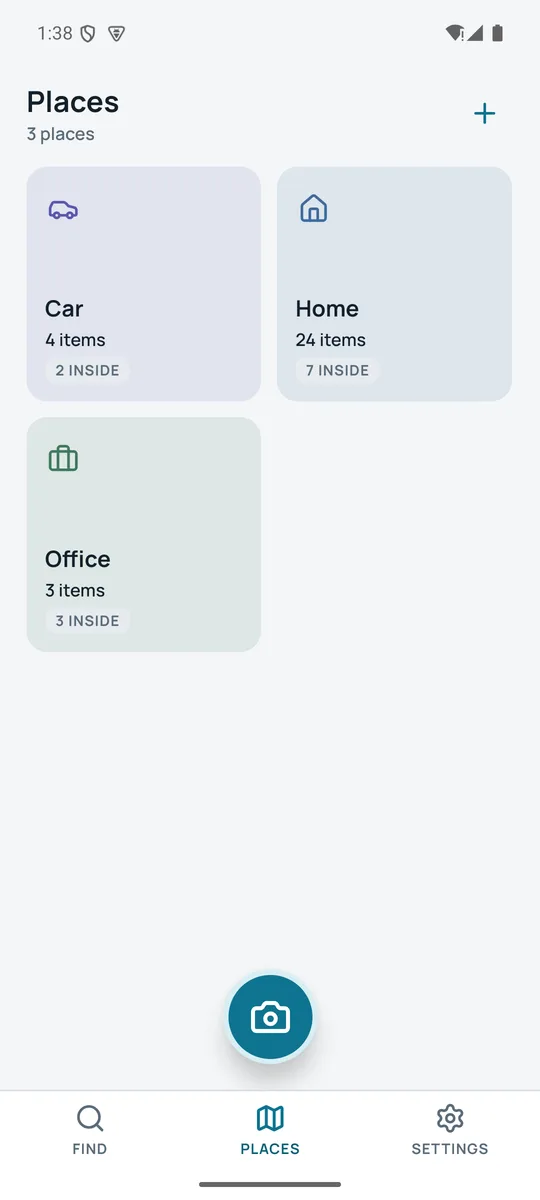
Every root place gets a tile and its own colour (Home, Garage, Car, Office) with how many things are there and how many places sit inside. Open one to walk down through shelves and drawers to the exact box, and see what's stored at each level.
Say a new shelf while storing and it appears here, in the right cupboard, without setting anything up first.
Tap Moved it, say or type the new place, and the item's history grows by one line. Tap Lent out, type a name, and the item shows a “Lent to Sam” pill everywhere it appears until you take it back. Set a reminder to ask for it.
Lent-out tracking and reminders are part of Whereabouts Pro; moving is free.
Every screen has a dark palette: the found card, the place tiles, the camera, the sheets. Pick System, Light or Dark under Settings › Appearance.
Text sizes follow your phone's accessibility setting; the layout mirrors for right-to-left languages.
Forty things covers a lot of cupboards. Pro is for the garage, the loft and the people you share them with.
Free
Pro
Monthly or yearly, price shown in the app. Yearly saves a third.
Billed through the App Store or Google Play in your local currency. Cancel anytime; Pro stays until the end of the period you paid for.
Whereabouts has no account. Items, places, photos and the words you said live in the app's own database on your phone, and the app doesn't read your photo library, contacts or location. There is no server of ours behind it: nothing you store is sent anywhere, and there is nothing to breach.
Read the privacy policyNo. The camera opens because a photo is the fastest way to recognise a box later, but you can skip it and just say or type where the thing went. You can add a photo to an item or a place any time.
You always see what it understood before saving: the item, the place path and the container as chips. Tap a chip to fix it, or tap Type instead. If the room is noisy, type from the start; the same rules apply to typed text.
Whereabouts knows the common words for rooms, furniture and containers, and it remembers the places you've already used. A place it has seen is matched; a new one is created under the closest match, so “hallway cupboard, top shelf” lands in the Hallway you already have. A box or a bag is kept as the container, not a place.
Yes, completely. Storing, finding, moving and lending all happen on your phone. Speech recognition uses your phone's own service, which on most phones works offline once the language pack is downloaded. Only buying Pro needs a connection.
The free plan holds 40 things. Past that, you can't store more until you delete something or go Pro, but everything already stored stays searchable forever. Whereabouts will never hold your own things hostage.
Not in this version. Everything lives on the one phone, which is also why there is no account. Export data (Pro) gives you a copy you own. Household sharing, where the people you live with see the same places, is built and will come in a later version.
No. While you hold the button, your phone's speech service turns speech into text and hands the text to Whereabouts. The app never receives or keeps audio.
Yes: Settings › Your data › Export data writes a JSON file with every item, place and move, plus a ZIP of your photos, to a folder you choose. Delete all data removes everything from the phone. Export is part of Pro; deletion is always free.
Android 7 and newer, and iPhone. Both use the phone's built-in speech recognition and camera; nothing extra to install.
 Whereabouts