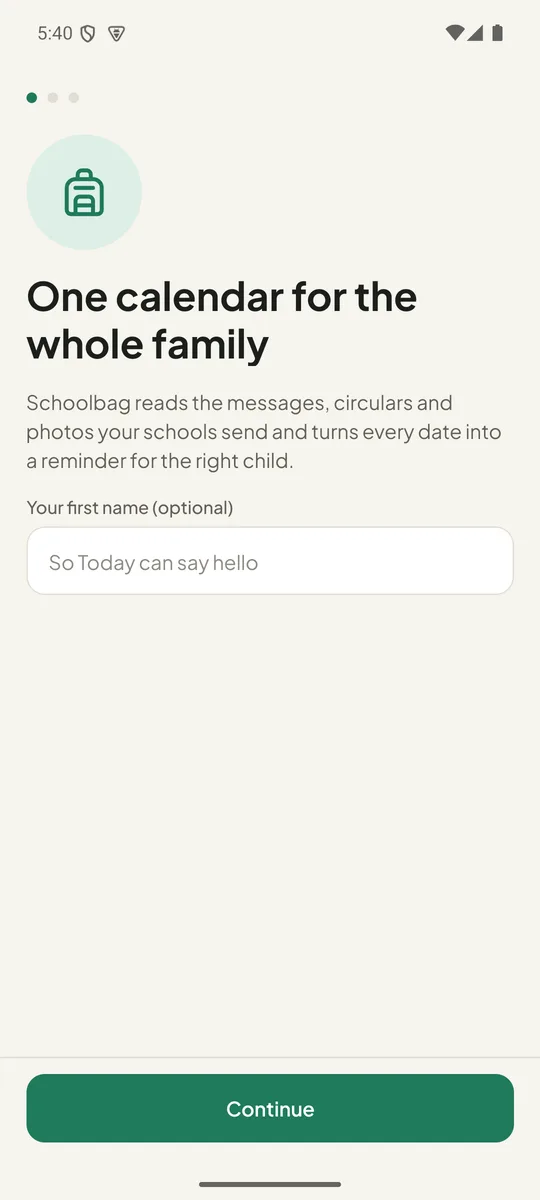
The class WhatsApp, the newsletter PDF, the photo of the letter in the bag. Share any of them into Schoolbag and every date lands on one calendar, under the right child, with a reminder before it matters.
Free for one child and 20 notices a month. Schoolbag Pro adds the rest. No account, no sign-up.
A simplified copy of the app's built-in rules, running in this page. On your phone the same happens for text, photos and PDFs, and with your own AI key it reads even the messy ones.
Three steps, and the last one is optional.
From WhatsApp, Gmail, Files or your camera roll: tap Share, pick Schoolbag. Text, screenshots, photos of letters and PDFs all work. Nothing to copy, nothing to type.
“Thursday”, “by the end of next week”, “the Monday before the trip”, “12/10”: each becomes a real date. Fees get their amount, trips get their time, things to bring become a checklist.
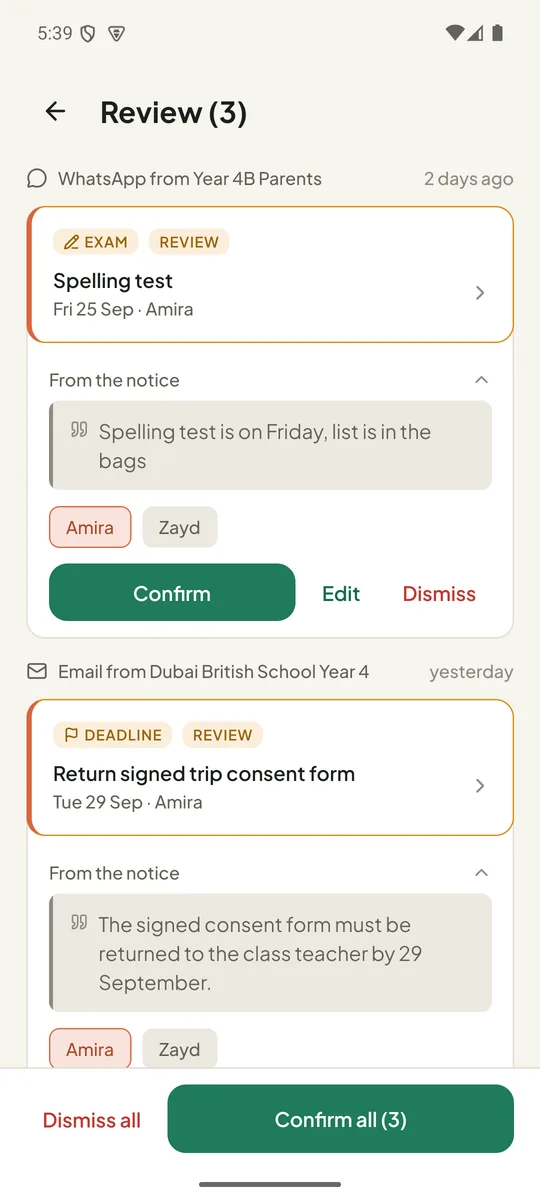
Every event shows the sentence it came from, so you can see why. Confirm all, or change a date or child on the spot. Then it's on the calendar with reminders set.
Every feature is there because a date got missed once.
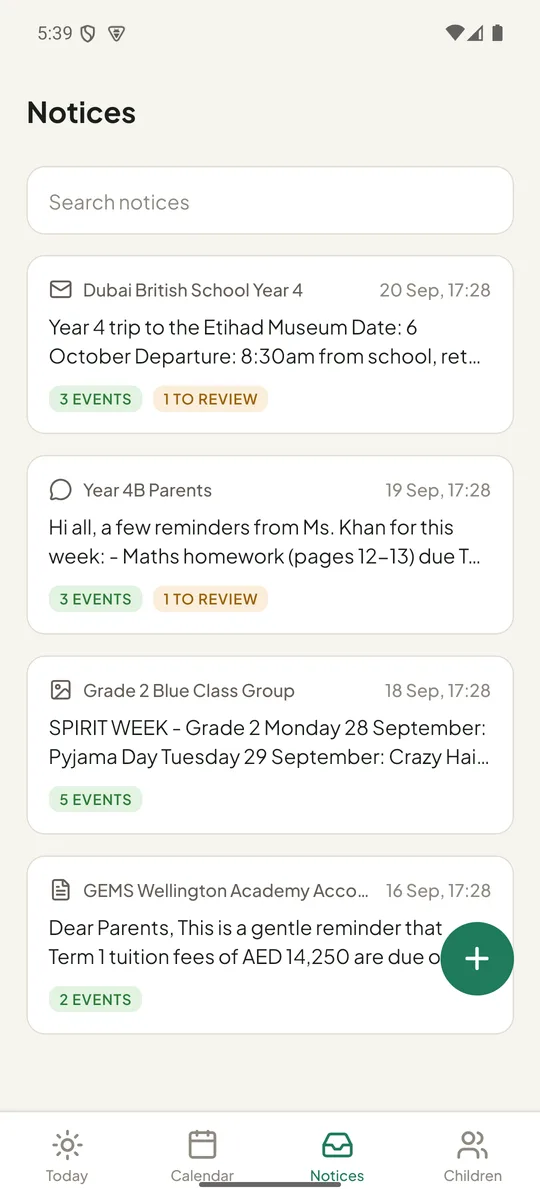
Schoolbag sits in your phone's share sheet. A WhatsApp message, an email, a PDF newsletter or a photo of the letter in the bag: share it in and walk away.
A photo of a printed circular is read with on-device text recognition; a PDF is read page by page. The picture and the file never leave your phone.
Weekdays, “tomorrow”, “end of next week”, ranges like “6 and 7 October”, day-first or month-first numbers, Monday-to-Friday or Sunday-to-Thursday weeks. Ambiguous ones are flagged, never silently guessed.
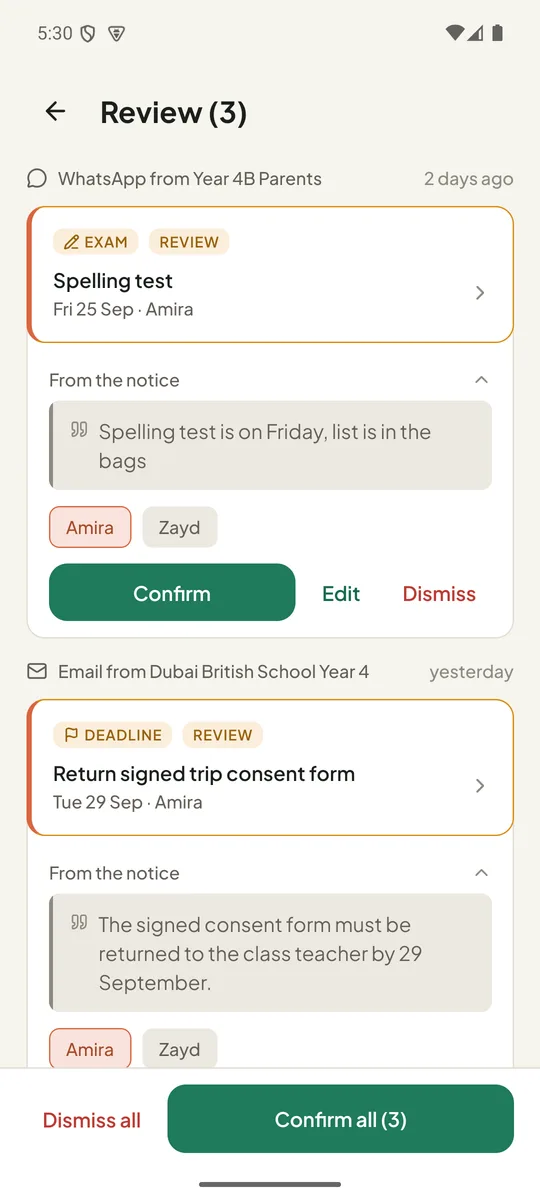
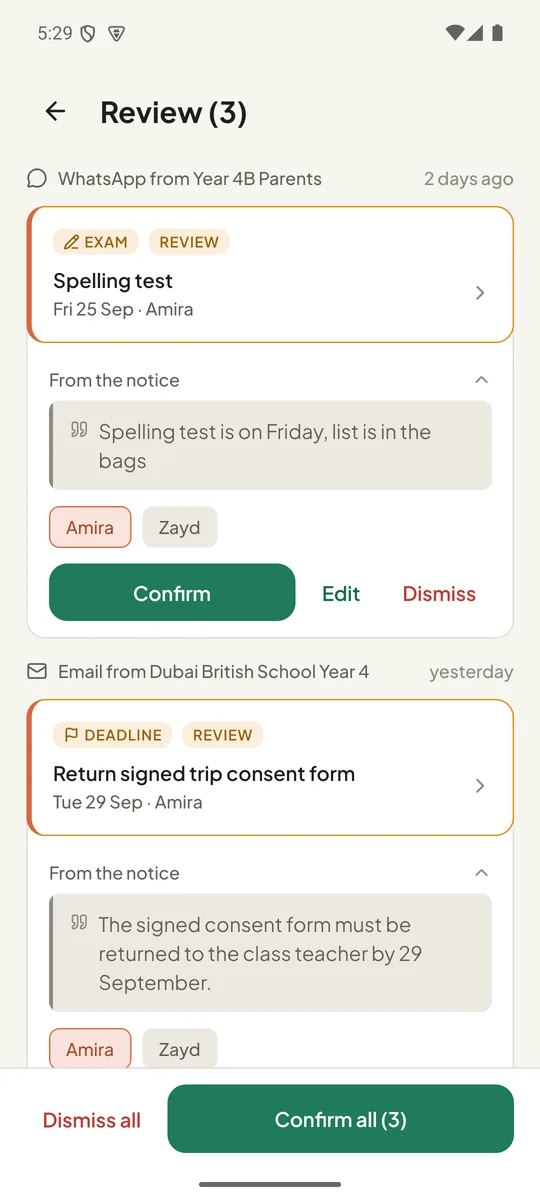
Each event carries the exact sentence it came from and a confidence marker. Confirm with one tap, edit, or dismiss. Nothing goes on the calendar without you.
Several children, different schools, different classes. “Year 4 parents” lands under the Year 4 child; the whole-family notice goes to everyone. Each child has a colour you'll recognise at a glance.
Fees and deadlines remind you three days and one day before. Homework, dress-up days and things to bring remind you the evening before. Change the times, or any single reminder.
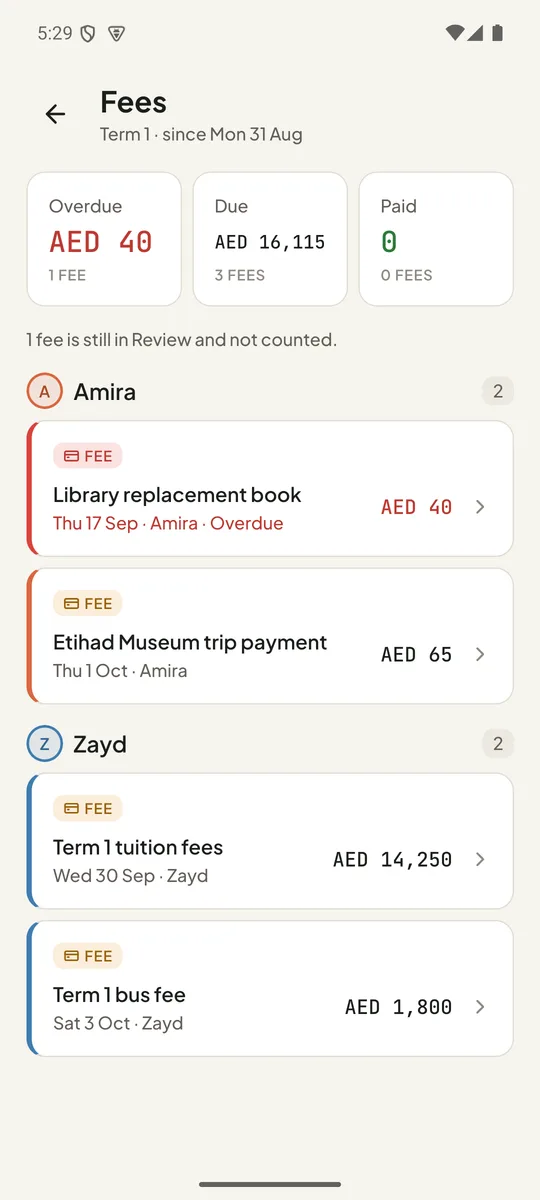
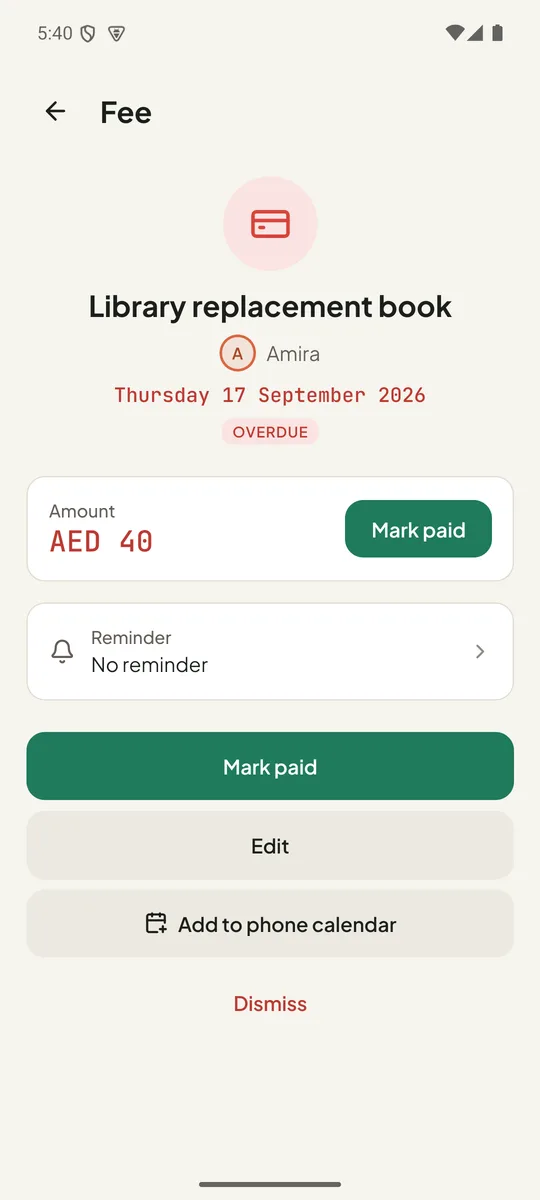
A fee with a due date and an amount stays pinned on Today until you mark it paid. The fee summaryPro shows what is due, what is overdue and what you have paid this term, per child.
Add your own Anthropic API key in Settings and Claude reads your notices: rescheduled dates, “the Monday before”, long newsletters and messy photos come out right far more often. You pay Anthropic directly, a few fils a notice.
Children's names, notices and events live in a database on your phone. There is no server of ours behind the app. Without an AI key, reading a notice never touches the internet.
Sunday-to-Thursday weeks, AED amounts, term breaks you enter once so “before the break” resolves correctly. Day-first dates by default, month-first if your school writes them that way.
Export everything as a JSON file, add events to your phone calendarPro, or delete all data in one confirmed tap. No account to close.
Follows your phone or set it yourself. Every screen, with contrast checked in both, and text that scales with your accessibility setting.
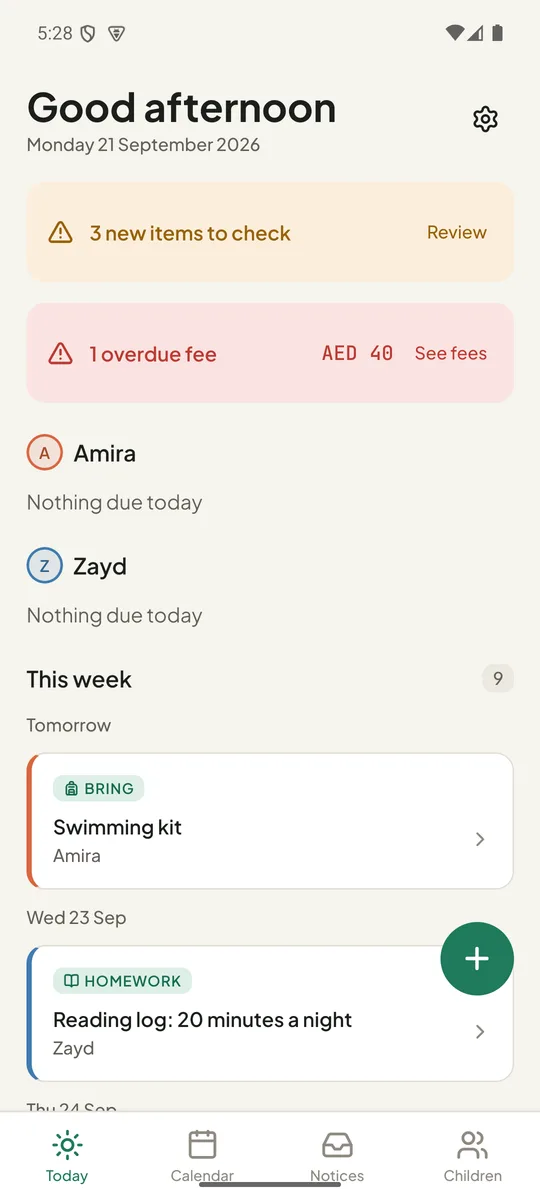
Open the app and see today's items under each child, then the rest of the week. New items waiting for a check sit at the top; an overdue fee stays pinned in red until it's paid.
The Today view and reminders are never locked, on any plan.
Extracted events wait in Review, grouped by the notice they came from. Each shows its source sentence, the child it was matched to, and chips to reassign. Confirm all at the bottom clears the lot in one tap.
A date that could be read two ways is marked, so you can settle it before it goes on the calendar.
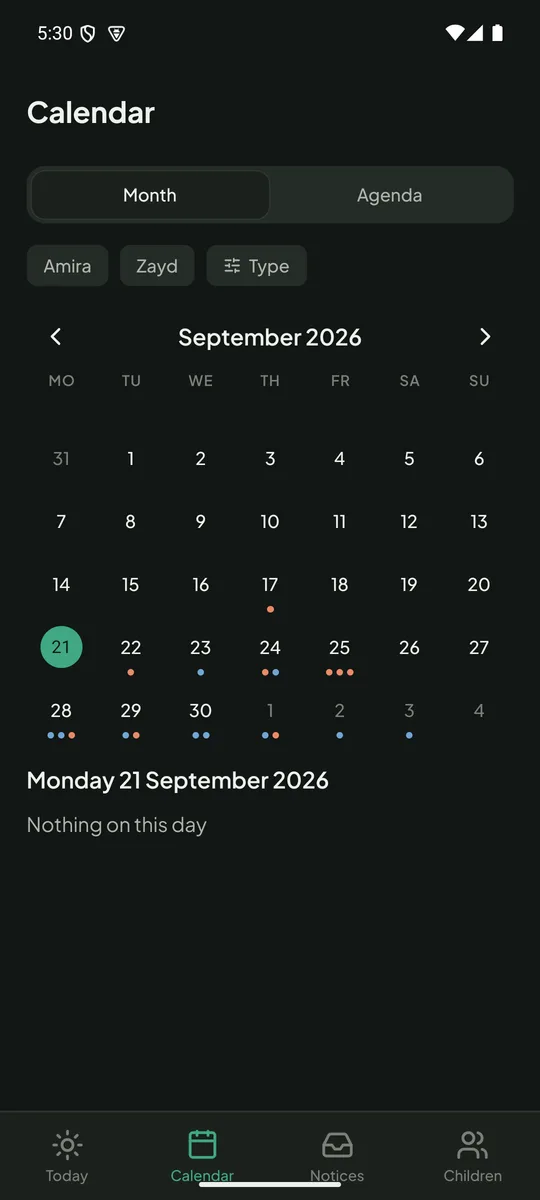
A month grid and an agenda, filtered by child or by type. Fees have their own summary: overdue, due and paid this term, per child, with the paid history underneath.
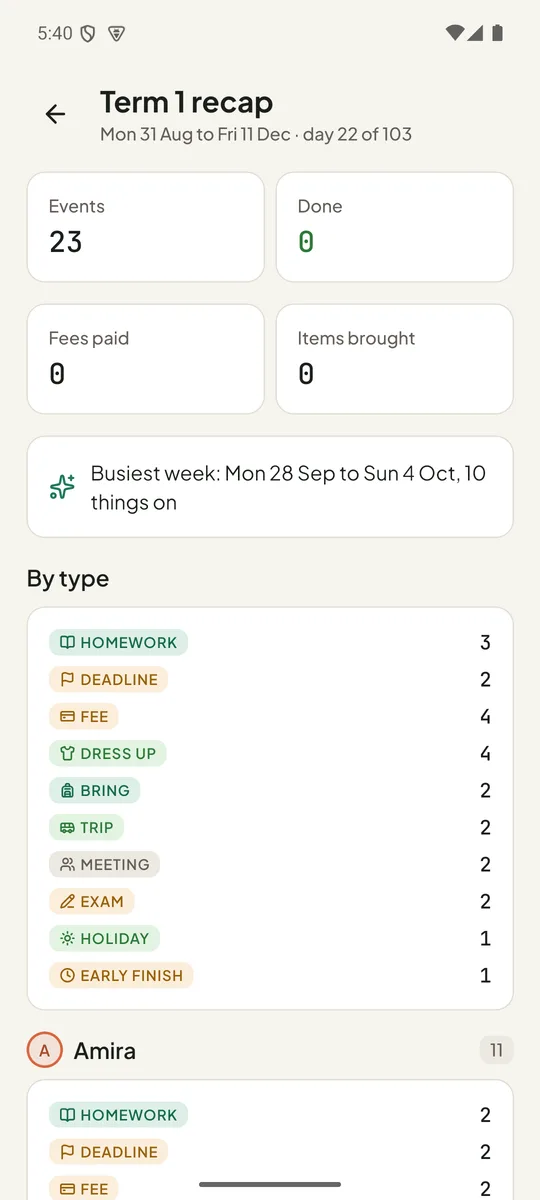
At the end of each term, the recap shows everything each child did: trips, homework, fees paid, and the busiest week.
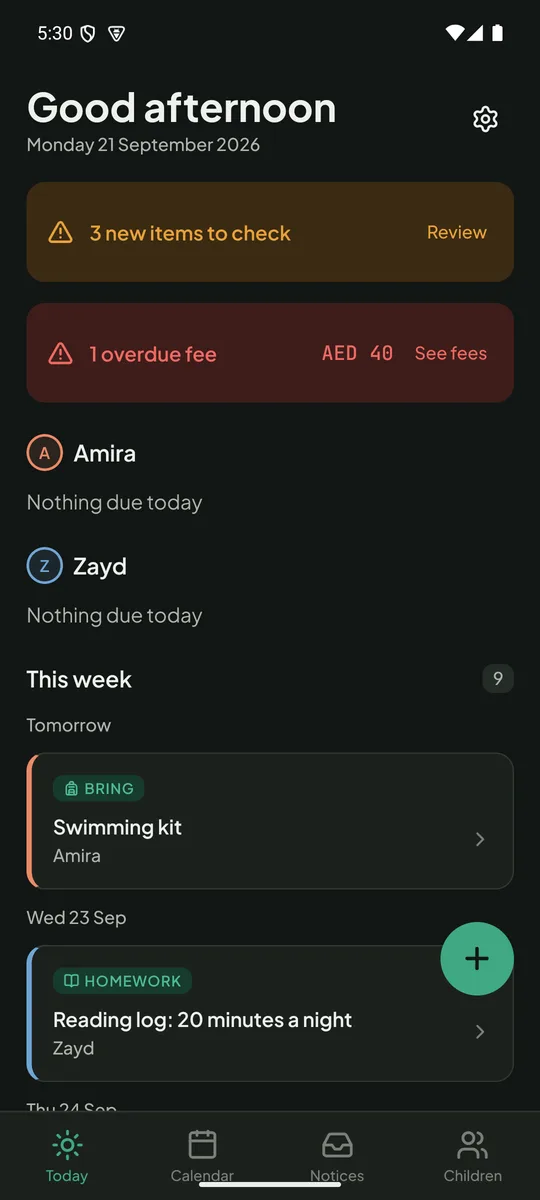
Every screen has a dark palette, with the child colours adjusted so they still read. Pick System, Light or Dark under Settings › Appearance.
Text sizes follow your phone's accessibility setting.
Twenty notices a month covers most class groups. Pro is for more children, more schools, and the money side.
Free
Pro
Monthly, yearly or once for the family; prices shown in the app.
Billed through Google Play or the App Store in your local currency. Cancel anytime; Pro stays until the end of the period you paid for.
Schoolbag has no account and no server. Children's names, notices, photos and events live in the app's own database on your phone. Reading a notice happens on the phone. The only time text leaves it is if you choose to add your own AI key, and then it goes straight to Anthropic under your account, with phone numbers and email addresses removed first and never a child's name.
Read the privacy policyAny app with a share button: WhatsApp, Gmail, Outlook, Files, Photos, the school's own app if it lets you share or screenshot. Schoolbag accepts text, images and PDFs.
Nothing goes on the calendar until you confirm it. Review shows the sentence each event came from; tap Edit to change the date, time, child or type. Dates that could be read two ways (“next Thursday”, “12/10”) are flagged so you decide.
From the words in the notice: “Year 4B”, “Grade 2 Blue”, “all parents”. Those are matched against the class and school you entered for each child. If it cannot tell, the event is shown with chips so you pick in one tap.
No. Sharing, reading, reminders and the calendar all work offline. Only buying Pro, and smart reading if you add your own AI key, use a connection.
Optional. If you create an API key at console.anthropic.com and add it in Settings, notices are read by Claude instead of the built-in rules. It handles rescheduled dates, “the Monday before”, photos of letters and long newsletters much better. The key stays in your phone's secure keychain and you pay Anthropic directly, typically a few fils per notice.
Yes. Each child has a school; each school has its term breaks; the week type (Monday-to-Friday or Sunday-to-Thursday) and date order (day-first or month-first) are set once in Settings and used for every date.
Not in this version: everything lives on one phone, which is also why there is no account. Sharing with the other parent is built into the design and will arrive as a Pro feature in a later update.
Yes: Settings › Your data › Export everything as JSON writes every child, notice and event to a file you choose. Delete all data removes everything from the phone. Both are free.
Android 7 and newer, and iPhone. Text recognition for photos uses the phone's own on-device engine; nothing extra to install.
 Schoolbag